01Start with your intent.
Share an idea, sketch, reference, pattern or existing garment. Choose the result you need.

Generative AI grounded in garment physics
AI, garment construction and cloth physics in one workflow. Develop an idea into a garment, then build its prints, product visuals and handoffs on it.

An apparel idea can become a design, a garment, product visuals or a technical handoff, each with its own tools and specialists. Beforewear’s AI works across that whole chain.
Built around the garment. Patterns define its pieces, construction how they join, materials and physics how it drapes. Agents and applications revise that garment and carry its structure into the next result.
How this compares with CLO and other tools ↗Share an idea, sketch, reference, pattern or existing garment. Choose the result you need.
The system works out the garment workflow from your inputs. Missing design details are clarified with you.
Review the garment, visuals or technical files. Request another size, design or view without managing the operations behind it.
Two ways to start
Develop an idea or reference into a design, garment and technical deliverables for your next development step. Focus on what you want to make.
Develop a garment ↗Take an existing garment into new artwork, sizes, product images and motion. Let AI create the assets for your next catalog or launch.
Create product assets ↗Use the whole workflow or start with one result. The same platform supports garment development, product presentation and manufacturing handoff.
Turn an idea, sketch or existing garment into a 3D model.
Get product views and on-model images for your garment.
Get the garment specifications your manufacturing partner needs to review.
Develop your garment across a size range.
Get the bodies you need to develop and present your garments.
Create original artwork for your apparel.
Turn one garment into a collection of variations.
Show your garment in movement.
How it works / Pullover hoodie, size M
One garment from Beforewear’s library, start to finish: its pattern sewn on a body, draped by cloth physics, then printed with artwork made from one sentence.
“One continuous ocean scene around the garment: a great wave breaking, in the style of a Japanese woodblock print.”
made into artwork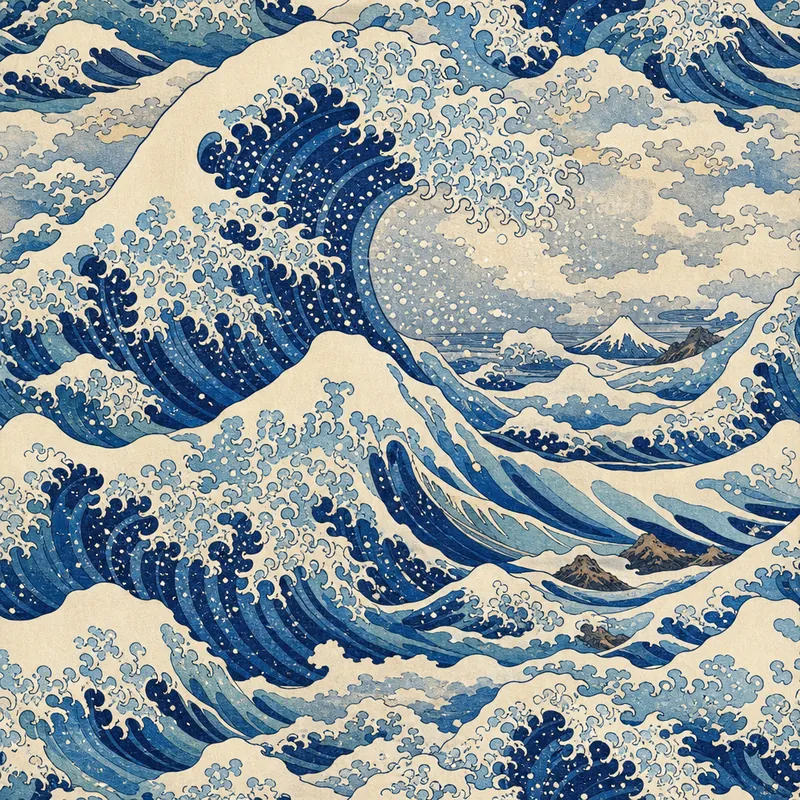
Start with a few words, a photo or a sketch. This sentence made the artwork.
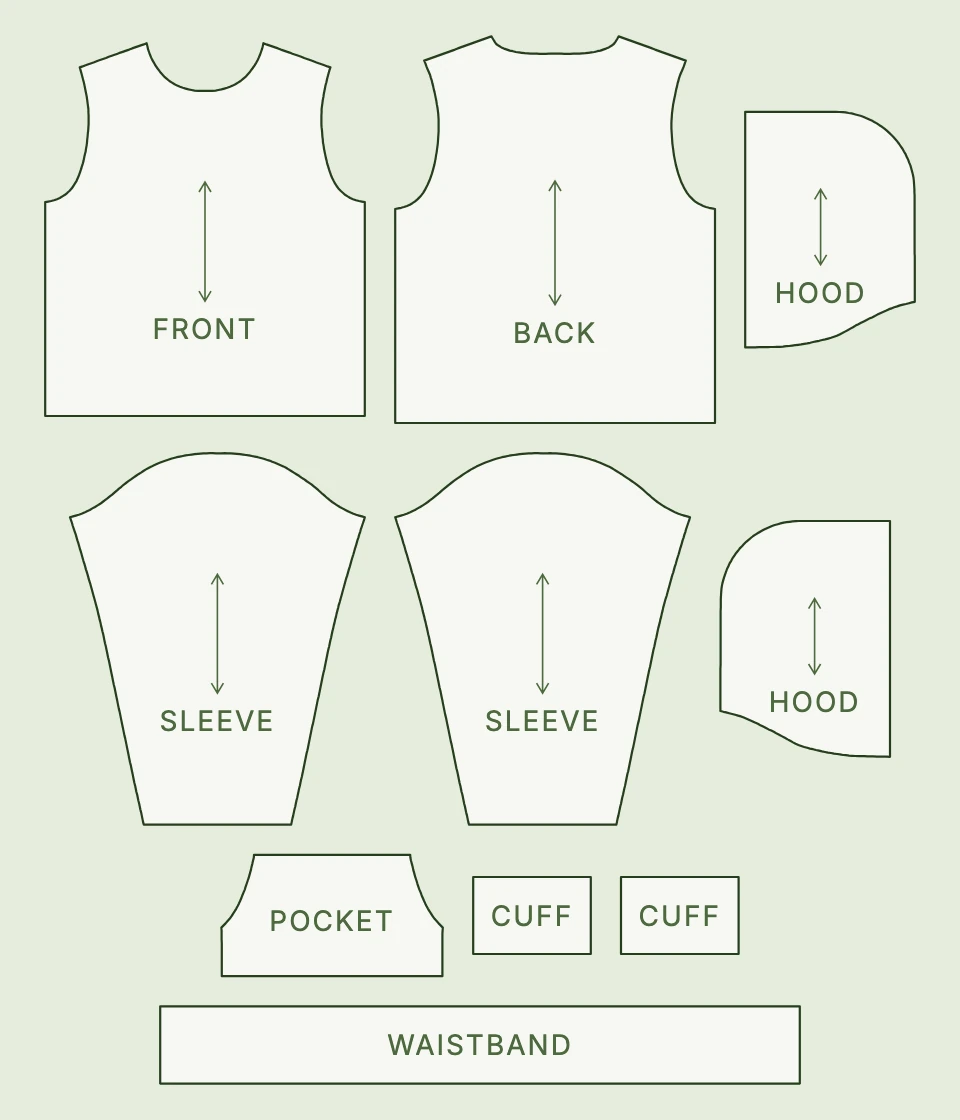
Ten flat pieces, from the maker’s cut template at size M.
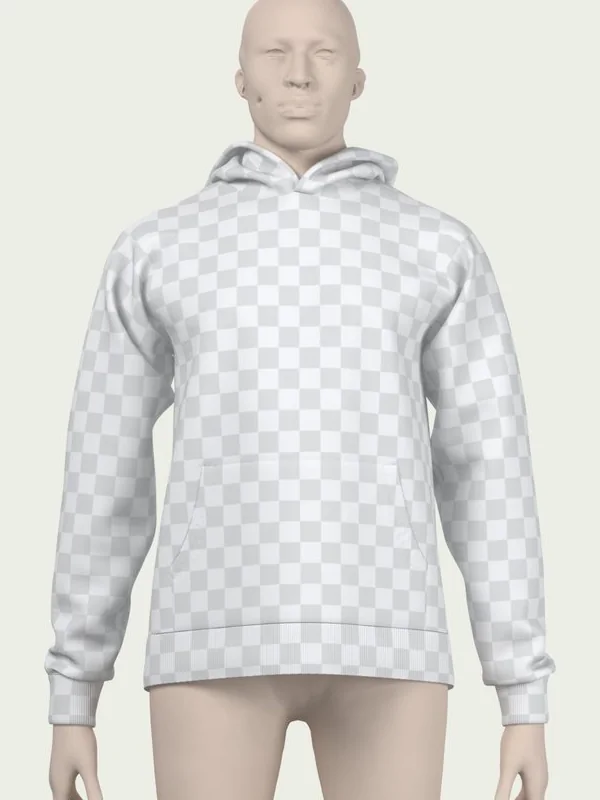
The pieces are joined along their seams on a body. The check shows how each flat piece lies.
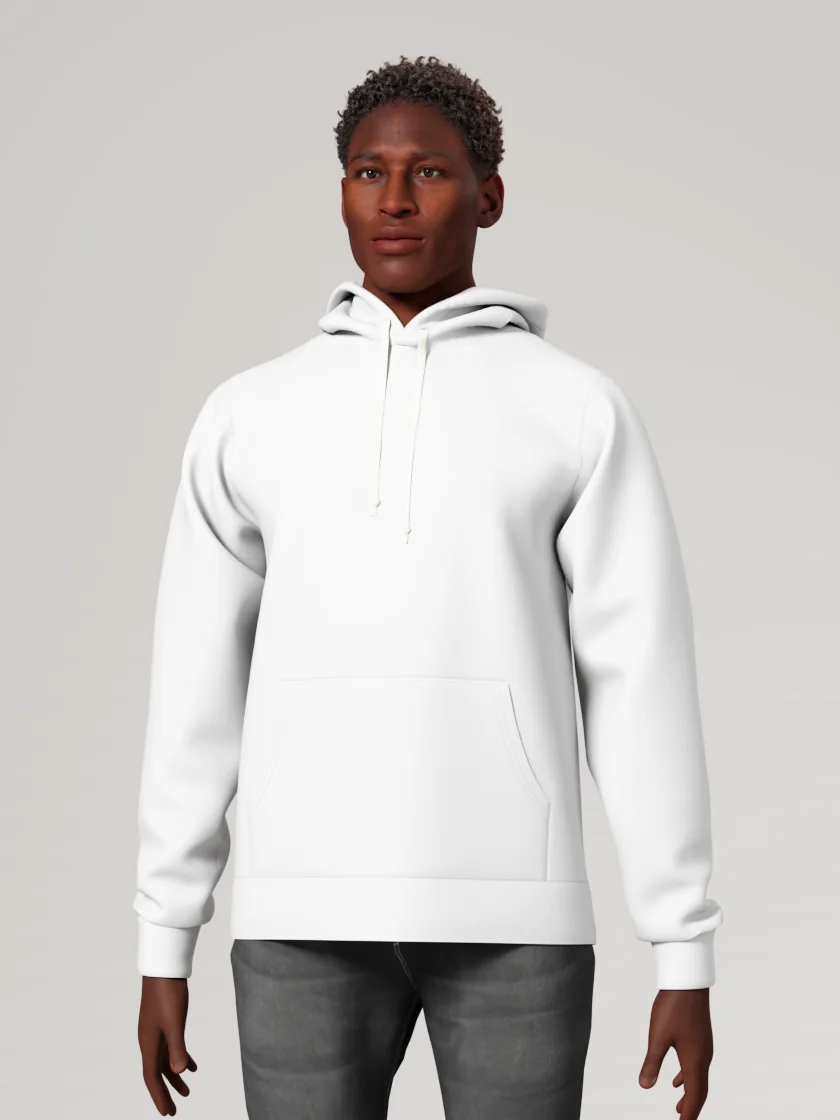
Cloth physics settles it on the wearer: its weight, its folds, its fit.
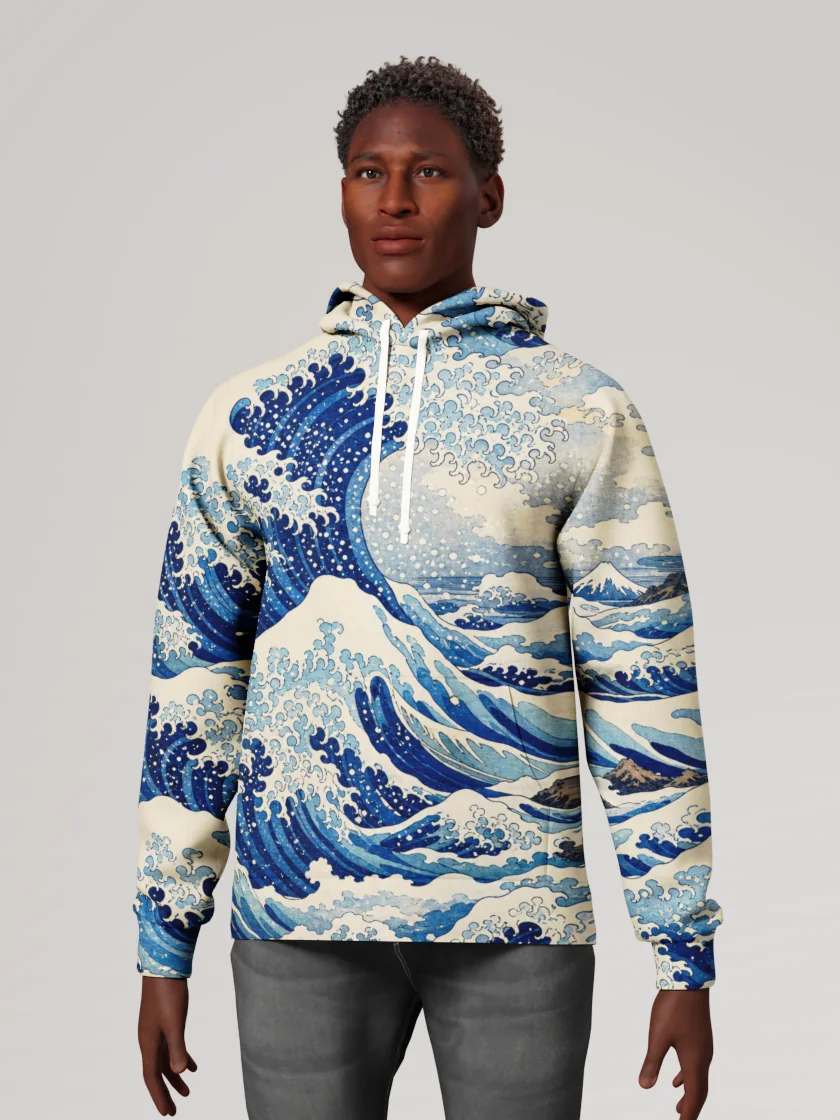
The artwork goes onto the flat pieces, as on the printed garment, and follows every fold.
Beforewear’s own garment: the pullover hoodie in its library, sewn, draped and rendered by Beforewear from the maker’s cut template. The artwork was generated from the sentence shown.
For teams and platforms
Let your customers describe what they want, in your own interface, while Beforewear does the garment work behind it.
It runs headless: an assistant or your code puts artwork, colors and lettering on a built garment through MCP and the Python SDK. Each garment is built once and kept, so every design, mockup and print file comes from the same garment and a print stays locked to the cloth.
Explore SDK & MCP ↗A few useful answers
No. You bring the idea, references and desired result. Beforewear handles the garment workflow, so you do not need to operate a 3D modeling tool or hire a specialist to perform those steps.
Beforewear focuses on completing the workflow from your intent and inputs. You direct the result rather than operate the modeling steps. CLO and other apparel tools offer extensive authoring and automation capabilities; Beforewear is built for teams that want the garment work handled for them.
Start with what you have: an idea, sketch, reference image, pattern or existing garment. Tell us the outputs you need. If measurements, materials or design decisions are missing, we clarify them with you.
3D garments, artwork, avatars, size variations, mockups, motion and tech packs. Choose the outputs that fit your project. Technical deliverables are prepared for review with your manufacturing partner; manufacturing approval remains a separate step.
Yes. Review the result and direct the next change, such as a different color, print, size or presentation. Beforewear handles the corresponding garment operations behind the scenes.
Studio is open: sign in with Google or your email and design on library garments. Building your own from its pattern or 3D model is coming soon. The MCP server is hosted at mcp.beforewear.com, and the Python SDK is shared on request. For custom work, tell us your use case and starting inputs.
Studio is open
Design on library garments today, free to start.
For a garment of your own or custom work, tell us what you want to create.